What a player heatmap can explain
A heatmap can help readers understand the areas associated with a player's recorded activity during a covered match. It is useful alongside minutes, position, substitutions and team formation, but it must not be presented as more precise than the underlying data supports. FootballAPI.net exposes the supplied player heatmap payload without inventing a normalized tracking system. A successful sample contained player records for both teams, demonstrating content access rather than universal competition coverage. Before designing a visualization, inspect a real response and establish exactly how its encoding represents activity. A colored pitch drawn from assumed units may look convincing while telling the reader something the data never established.
Discovering the correct heatmap coverage identifier
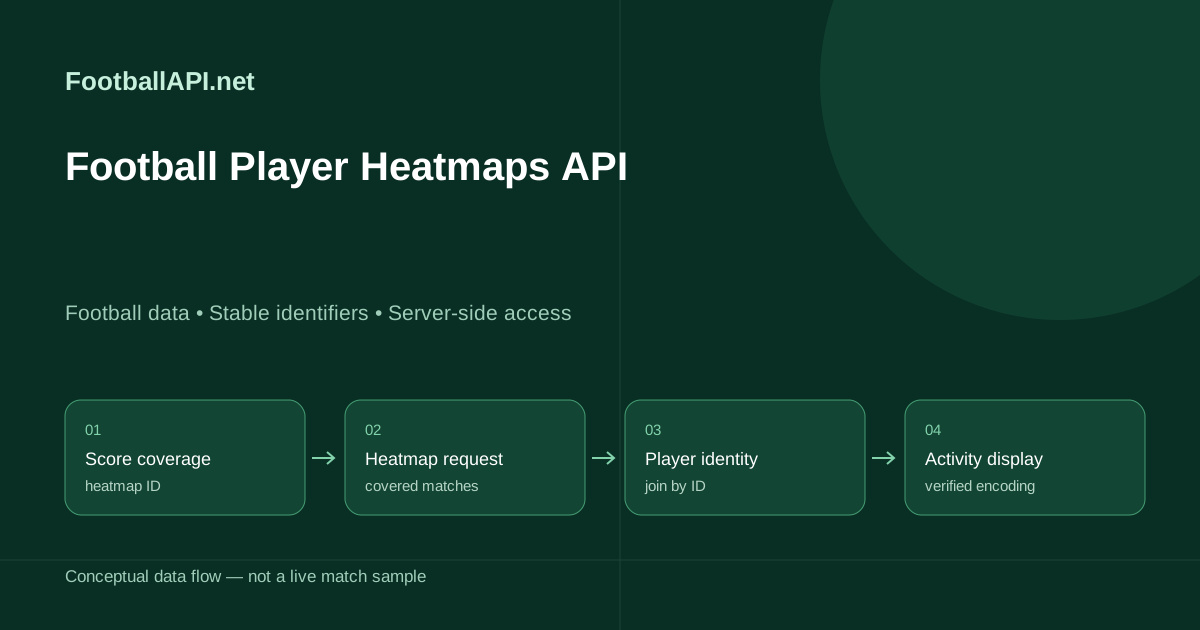
Start with a match in the score feed and inspect its heatmap attribute. Use the supplied heatmap coverage identifier for the leagueId parameter of /api/v1/football/player-heatmaps. Do not substitute a team ID, venue ID or arbitrary competition number merely because another statistics endpoint accepts that value. Coverage identifiers are meaningful within their own feed family. Save the relationship between the score match, its static_id and the heatmap identifier, then verify that returned match records correspond to the game being displayed. An absent coverage flag should leave the heatmap feature unavailable for that match, not trigger a loop through guessed identifiers.
curl --fail-with-body --get 'https://footballapi.net/api/v1/football/player-heatmaps' -H "X-API-Key: $FOOTBALLAPI_KEY" --data-urlencode "leagueId=$HEATMAP_COVERAGE_ID"Retaining the original match and player structure
The verified response uses a commentaries root with tournament and match records. Inside a match, heatmaps.localteam.player and heatmaps.visitorteam.player hold the supplied player collections. Normalize object and array cardinality before iterating, but preserve the actual payload fields and their original encoding in storage. Player IDs should remain strings and must be joined to lineup, profile or portrait records through that ID. A shirt number can be reused across teams and seasons, and a shortened display name can be ambiguous. Neither is a safe replacement for the source identifier when attaching an activity display to the correct person.
Validate the encoding before rendering a pitch
The customer contract does not promise a universal percentage scale, a fixed pitch origin or a particular heatmap grid resolution. Determine the meaning of the returned encoding for your covered sample before converting it into screen positions. Keep any transformation explicit and reversible, and test it against the original values rather than judging accuracy by whether the finished graphic looks plausible. If you cannot establish orientation or units, retain the data for analysis and omit the spatial display. Do not quietly stretch, mirror or rotate it to fit a preferred design. Those operations can turn a valid payload into a false claim about where a player operated.
Heatmaps are not a continuous ball-tracking stream
A player heatmap does not establish which player has the ball at the present instant. It also does not provide a continuous sequence of ball coordinates suitable for animating a tracker. Separate play-by-play commentary may include locations for individual recorded events, while formation_pos describes an ordered slot in a starting formation. These are three different kinds of spatial context and must not be merged into invented live movement. The ball-tracker service has its own activation and connection requirements. Requesting heatmaps neither activates that stream nor proves the server is authorized to receive it, even when the same match appears in both services.
Compare activity with minutes and substitutions
Interpret activity alongside the player's time on the pitch. A substitute with a brief appearance should not be compared directly with a starter who completed the whole game without explaining the difference. Use supplied participation and paired substitution records to provide that context; do not infer playing time from the apparent density of a heatmap. Similarly, a formation label is tactical context, not proof that every recorded action falls within a fixed zone. Keep match ratings separate: the optional @rating in player_stats is a source-calculated performance value, not a numerical summary you should reverse-engineer from the heatmap image or coordinate counts.
Refresh covered matches without blocking readers
Player heatmaps use a thirty-second gateway cache. A background request can prepare the relevant match data before a reader opens its analysis panel, while all visitors share your application's saved copy. Polling faster than that cache interval does not guarantee additional activity points. Store the retrieval time independently from any source update field and avoid labeling a response as current solely because it arrived successfully. When the match is complete, retain the useful final payload and allow for later corrections. Keep historical records separate from active refresh jobs so browsing an old match does not unnecessarily restart live polling.
Plan access, sparse data and unavailable sections
The player-heatmaps endpoint requires Growth or Pro and explicit service activation. A subscription does not guarantee that every competition or individual fixture contains heatmap records. Missing data should lead to a clear, compact unavailable state rather than a fabricated default pitch. Preserve a valid last response if a later refresh fails, but do not silently relabel an old match's heatmap as belonging to today's game. Credentials remain on your server, and successful responses count toward account usage. If you need assistance, provide the competition, static match identifier, requested coverage ID and a credential-free request ID instead of sending an API key.
A practical acceptance checklist for heatmap integrations
Before launch, verify both teams, an available player, a player without supplied activity and a completed match. Confirm that the selected player ID survives navigation between lineup, statistics and heatmap views. Test your handling of empty collections and unknown fields, and ensure that a visualization does not overflow a narrow mobile screen. Add an accessible textual explanation stating what the activity layer represents, especially when color intensity is the main visual signal. Link readers or developers to the match-statistics guide for related performance fields and to the API reference for request details. Keep visual claims limited to the encoding and coverage you have actually confirmed.
Avoid unsupported comparisons between activity layers
Only compare two players after checking that their heatmaps describe the same fixture scope and compatible recording periods. A substituted player and a full-match starter may have different exposure even before considering tactical roles. If your renderer normalizes intensity independently for each player, explain that the brightest region need not represent the same absolute amount of activity across both graphics. Do not label one player as covering more ground unless the supplied data actually supports that measurement. Keep display normalization settings with the rendering logic so a later design adjustment does not silently change the interpretation of saved activity layers.
Questions developers ask
- Where do I find the heatmap leagueId?
- Use the heatmap coverage identifier supplied on the score match, rather than guessing it from a team or venue ID.
- Does it tell me who currently possesses the ball?
- No. Player heatmaps are activity data, not proof of present ball possession.
- Are coordinates guaranteed to use a 0–100 scale?
- No universal units are promised. Inspect and validate the supplied encoding before transforming it.
- How do I match heatmaps to player photos?
- Join by the stable player ID; never use shirt number or name as the primary key.
- Which plans include this service?
- Growth and Pro, subject to endpoint activation and competition-specific content coverage.
Guides and documentation
Check the plan before you write the integration.
Starter £29, Growth £99, Pro £249 per month. Starter only: 7 days free, once per account, card required. Then £29/month unless cancelled. No VAT currently charged. Existing EUR subscriptions are unchanged.