A focused record for one scheduled or completed match
The single-fixture operation is useful when you already know the match you want and need its supplied fixture or result record without retrieving an entire season again. Typical uses include refreshing an editorial match report, checking a rescheduled kick-off or enriching a stored result with team-sheet information. It belongs to the fixture family rather than the faster live-statistics family. That distinction matters: a detailed-looking fixture response is not automatically the best polling source for an in-play scoreboard. Choose the record according to the job, retain its identity and compare later versions carefully instead of treating every new response as an unrelated match.
The required league and static match identifier
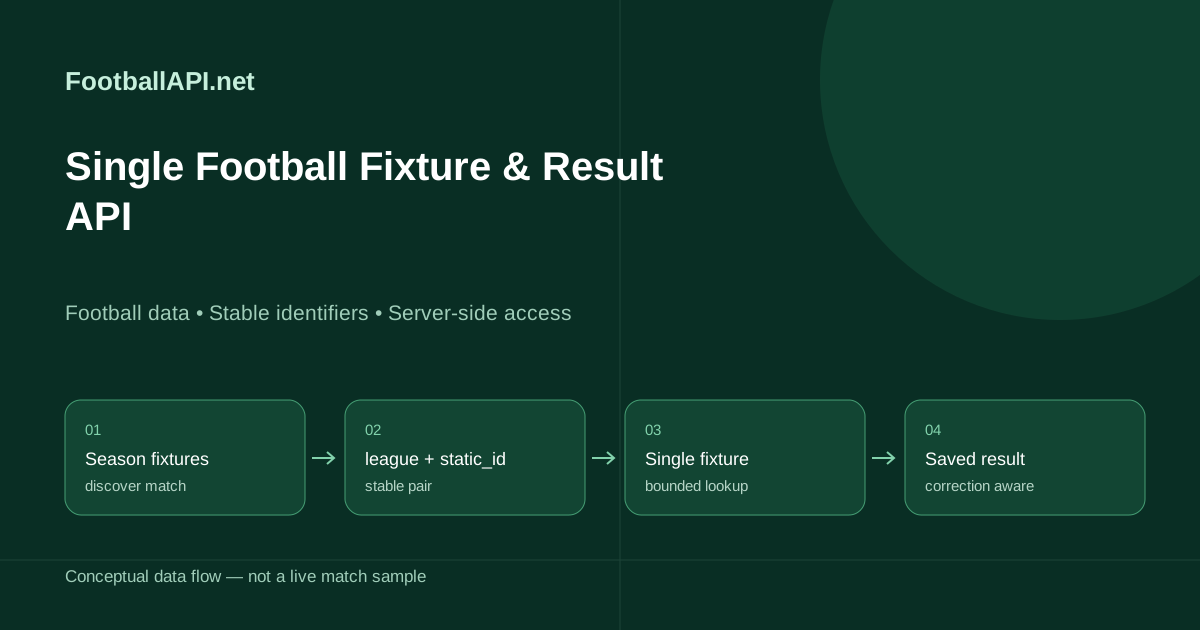
Request /api/v1/football/fixture with leagueId and matchId. Here matchId means the stable static_id discovered in a fixture or score record, not the ordinary id that may also appear in that record. Both parameters must be positive numeric identifiers. Keep the league relationship with the match in your storage so you do not have to guess it from team names later. A home and away pairing can occur several times in one season, including cup and league fixtures, so the pair of club names is not an adequate lookup key. Replace the example placeholder with a static_id actually returned for your chosen competition.
curl --fail-with-body --get 'https://footballapi.net/api/v1/football/fixture' -H "X-API-Key: $FOOTBALLAPI_KEY" --data-urlencode 'leagueId=1204' --data-urlencode "matchId=$STATIC_ID"Navigating optional fixture sections
The returned data retains the source structure. In a populated sample, the individual record appeared under results.tournament.match with tournament league and season attributes. Do not assume every collection is an array: a single match can be represented as an object, and optional sections can be absent. Match attributes may include date, time, status, venue, venue identifier, city and attendance. Home and away team records retain their own identifiers and score attributes. The meta envelope describes the gateway retrieval, not when the match information was originally recorded. Inspect the returned match identity before replacing your stored copy, especially when integrating historical and current records together.
Regular-time results, extra time and shootouts
Football results are more complicated than two numbers. A record can carry half-time, regular full-time, extra-time and penalty-shootout values, and different competition stages can require different presentations. Preserve those components rather than flattening everything into one unlabelled score. If you derive a winner or aggregate outcome, document which component you used and how you treat a draw after ninety minutes. A postponed or abandoned fixture must not be presented as an ordinary completed result merely because some score fields are populated. Keep the original status and competition stage alongside any editorial label so later corrections can be interpreted without reconstructing the source record from memory.
Lineups, benches and substitution differences
Where supplied, fixture records can include starting lineups with team formations, substitutions, coach references and a referee. Their structure is not identical to the live commentary statistics response. In particular, fixture substitution fields can use player_in and player_out names or identifiers rather than the paired on_id and off_id fields used elsewhere. Read the section actually returned by this endpoint, and do not guess direction from list order. An entry with no outgoing player may describe an unused bench player rather than a completed substitution. The existence of a team-sheet section also does not mean the record contains live player ratings: those belong in player_stats within covered match statistics.
Choose the right refresh cadence for each screen
The single-fixture gateway cache is fifteen minutes. It is appropriate for fixture enrichment and result reconciliation, not second-by-second score delivery. Use the five-second score feeds for current state and the thirty-second match-statistics or match operation for covered live performance detail. Your application can combine those sources while retaining a separate timestamp for each. Avoid replacing a newer in-play score with an older fixture snapshot simply because the fixture request completed later. A gateway fetch timestamp only identifies retrieval; it cannot prove that every field in the returned source record is fresher than the corresponding value you already hold.
Handling changes without duplicating fixtures
Keep the stable fixture ID when the kick-off time, venue or match state changes. Store previous scheduling values if your product sends reminders or publishes editorial notices, because those users may need to know what changed. Rebuild local calendar entries from the new supplied schedule without creating a second match with the same teams. For cup ties, preserve the round and any aggregate context discovered from season fixtures. Do not manufacture missing stage labels from the calendar date alone. A well-designed match page can update its schedule while retaining the same canonical URL, saved favourites and links from related articles or competition pages.
Saving final records and accepting corrections
After completion, retain the full fixture envelope or a lossless source record in your own archive, keyed by competition and static match identifier. A later correction pass can update attendance, a scorer attribution or the final state without forcing readers to wait on another API call. Avoid promising that a record can never change after full time; disciplinary and administrative decisions may be recorded later. Keep archive storage policy consistent with your licence and application requirements. If a refresh fails, preserve the last valid record with its timestamp and retry with backoff rather than deleting a completed match from the archive.
Access, request budgets and practical validation
This focused global lookup requires Growth or Pro and an enabled fixture operation; it is not automatically included merely because Starter can request season fixtures for selected leagues. Make requests on your server, account for successful calls in your daily budget and keep keys out of client bundles. Test a scheduled match, a finished game, an extra-time result, an absent lineup and a mismatched static identifier before launching a fixture page. The API reference supplies the authoritative request contract and error codes. Pair this endpoint with the season-fixtures guide for discovery and the live match-detail guide when the screen needs player performance rather than a slower fixture snapshot.
Keep date presentation separate from fixture identity
Preserve the source date and time while converting a verified instant into the reader's chosen timezone for display. A timezone conversion can move a late match onto the next local calendar day without creating a different fixture. Avoid using a formatted date as the primary key, and rebuild reminders from the corrected schedule if kick-off changes. At the start of play, replace a countdown with the reported state rather than allowing a negative timer to continue indefinitely. If the schedule lacks enough verified information for conversion, show its reported convention explicitly instead of silently assuming the browser's local timezone.
Questions developers ask
- Which match ID does fixture require?
- Use the stable static_id as matchId, together with leagueId. Do not use the ordinary score id.
- Is this the live single-match statistics endpoint?
- No. Fixture is a fifteen-minute-cache fixture/result lookup; match provides covered detail on a thirty-second cache.
- Can it return lineups and a referee?
- Yes, where supplied in the fixture record. These sections remain optional.
- Does a fixture lineup include match ratings?
- Do not assume so. Read supplied match ratings from player_stats in the statistics endpoints.
- Can Starter use this operation?
- No. The dedicated fixture operation requires Growth or Pro plus activation.
Guides and documentation
Check the plan before you write the integration.
Starter £29, Growth £99, Pro £249 per month. Starter only: 7 days free, once per account, card required. Then £29/month unless cancelled. No VAT currently charged. Existing EUR subscriptions are unchanged.